
Free Image Darkener — Darken Photos Online
Use our free image darkener to darken an image online in seconds — no signup needed. Apply a dark filter to photos, darken the background, or reduce brightness for moody, dramatic effects. Perfect for social media posts, night-mode graphics, and artistic edits.
Drop your image here to darken
or click to browse from your computer
Support: JPG, PNG, WEBP (Paste with Ctrl+V)
Darken Image Online - Free Image Darkener Tool
Our darken image tool is the best image darkener online to darken picturewith precise brightness control. Darken photo instantly, create moody effects, and darken imagesfor dramatic visuals. Perfect photo darkener for artistic photography and professional edits.
Precise Brightness Control
Darken image with exact control from 0-100%. Our image darkenerlets you fine-tune brightness to darken photo perfectly for any mood or style.
Create Moody Effects
Darken pictures to create dramatic, moody atmospheres. Our photo darkenerhelps you darken images online for cinematic and artistic effects. Combine with ourcolor inverter for extreme contrast. Need the opposite effect? Try our lighten image tool to brighten underexposed photos.
Real-Time Preview
See changes instantly as you darken image online. Our picture darkenershows real-time preview while you adjust brightness adjustment levels.
Privacy Protected
Darken photo online with complete privacy. All processing happens in your browser - we never upload or store your images when you darken pictures.
High Quality Output
Darken images without quality loss. Our image darkness toolpreserves original resolution when you make image darker.
Works Everywhere
Darken image free on any device. Our online image darkenerworks on desktop, tablet, and mobile to adjust image darkness anywhere.
Why Use Our Image Darkener?
- ✓Darken image with precise 0-100% brightness control
- ✓Real-time preview while you darken photo
- ✓No watermarks on your darkened pictures
- ✓Support for JPG, PNG, WEBP to darken images online
- ✓Free photo darkener with unlimited usage
- ✓Perfect brightness adjustment for any project
🎨 Pro Tip: For dramatic artistic effects, darken your images first, then use our negative colors tool to create stunning inverse photography with deep shadows transformed into bright highlights.
Precise Brightness Control for Perfect Darkness
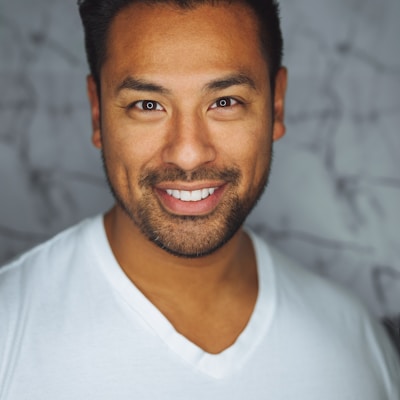
Perfect for Creative Photography

Real-Time Preview & Easy Controls

Professional Results for Any Project
- Social media content with moody aesthetics
- Website headers and hero images
- Print materials and marketing collateral
- Artistic photography portfolios
- Film and video color grading reference
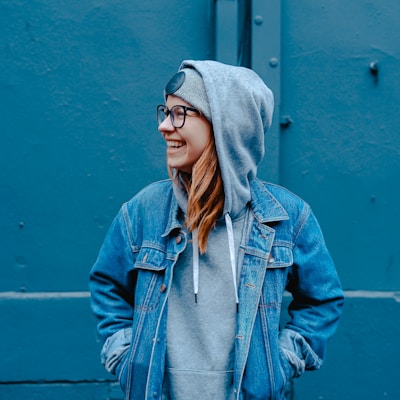
Frequently Asked Questions About Darken Image Tool
Learn how to darken image online, darken photos, and use our image darkener effectively.
How to darken image online with this image darkener?
Simply upload your photo to our darken image tool. Use the brightness slider to darken photo to your desired level. The image darkener shows real-time preview as you adjust. You can darken picture from 0% (completely black) to 100% (original brightness). Our photo darkener makes it easy to darken images instantly.
What's the best brightness level to darken photo effectively?
For most photos, reducing brightness to 30-70% creates an effective darkened look. To darken image for dramatic effect, try 20-40%. Our image darkener lets you experiment with different levels. The perfect setting to darken picture depends on your original photo and desired mood.
Can I darken picture and darken photo in different formats?
Yes! Our image darkener supports JPG, PNG, and WEBP formats. When you darken image, the original quality is preserved. PNG transparency is maintained when you darken pictures, making our darken photo online tool perfect for logos and graphics with transparent backgrounds.
Is this darken image tool completely free to use?
Absolutely! You can darken image online free with no limitations. Our photo darkener has no watermarks, registration requirements, or hidden costs. Darken pictures, darken photos, and use our image darkener as much as you need - completely free.
How secure is it to darken photo online with your tool?
Very secure! When you darken picture using our tool, all processing happens in your browser. We don't store your darkened images on our servers. Your photos never leave your device, ensuring complete privacy when you darken an image online.
Can I use darkened images for commercial purposes?
Yes! Once you darken image with our tool, you own all rights to the darkened photos. Use your darkened pictures for business, social media, marketing, or any commercial project. Our image darkener gives you full commercial usage rights.
Darken Image Online Free - Start Now
Join thousands using our darken image tool to darken pictures and darken photos online. The best image darkener for creating moody effects and adjusting brightness instantly.
Also Try Our Other Image Tools
Explore our collection of free, easy-to-use image editing tools. No signup required, instant results!
Image Inverter
Invert colors for creative photo effects
Flip Image
Mirror images horizontally or vertically
Lighten Image
Brighten photos and enhance visibility
Split Image
Create grid splits for social media posts
Circle Crop
Create perfect circular images for avatars
Grayscale Image
Convert photos to beautiful grayscale
Black & White Filter
Apply professional B&W photo effects
Blur Image
Add blur effects for privacy or style
Pixelate Image
Create pixel art and mosaic effects